Frequently asked questions
How does the cash register work?
You log in to the web application in your browser with your username and password. After that you see the overview of the products you sell. When you click a product it is put into your shopping cart. At the bottom of the page there is the ‘Checkout’ button. When you click it a QR code appears. You (the seller) show this QR code to the buyer. The buyer scans the QR code with their phone and copies the amount from the screen. The buyer pays through their own trusted banking app.
How do you know a payment has been made?
If your bank supports SEPA Instant Payments (all banks had to support this by the end of 2025), you will see the payment appear in your banking app within 10 seconds. When using a Tikkie link you immediately get a notification on your phone showing the account holder and the amount, so you do not even have to open the app. With ING Zakelijk or Rabobank, for example, you can set up these notifications in the app. How this works differs per bank.
Can I not get a confirmation in the cash register?
You can, but then it is no longer (entirely) free. With a bank connection through Ponto the buyer signs the payment request at their own bank and the cash register gets the confirmation straight from the bank. Ponto charges a fee per payment request for this. You switch the connection on at Payment links under Settings. So if you do not want to pay anything, you have to rely on SEPA Instant Payments or on the feedback from Tikkie, for instance.
What if somebody wants to pay by card?
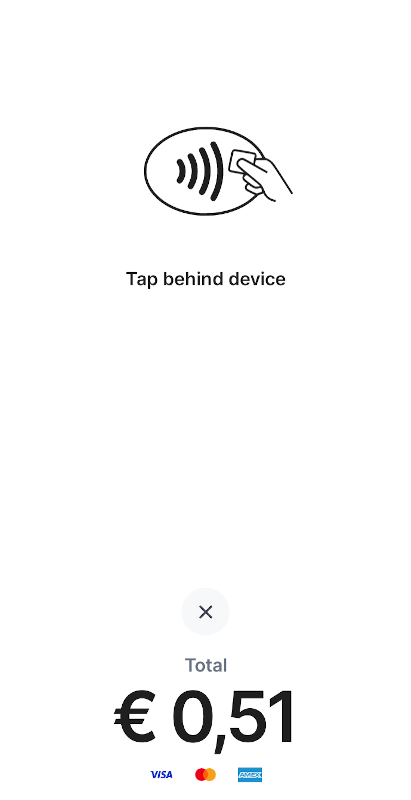
Of course there are always a few people who do not have their phone with them and want to pay by card. For those who have NFC enabled there is a simple solution. Just as you would like to create a Stripe payment link as a fallback for payment links, you can also use Stripe as a backup for card payments. Install the Stripe app on your phone. When someone asks to pay by card, open the Stripe app and click the purple plus in the top right corner. Then you enter the amount and select ‘Tap to pay’. The next screen is a clear screen that you can show to the customer. The customer will probably not even notice that this payment goes through a different system. Of course this payment through Stripe does cost you money. If someone has no phone and no NFC, you will unfortunately have to ask the customer to pay in cash.
Nothing is free, so how do you make money from this?
I hear you think: nothing is free! And of course you are right. So how am I going to earn money from this? My goal is to keep a handful of people out of the hands of data-hungry big tech and grabby fintech players with this platform. I want to show that we have a choice. And valuable assignments come out of those connections all by themselves… So there is no direct revenue model behind it.