
Payment page
Not every payment happens at the counter. Sometimes you send an invoice, sometimes you sell through a webshop, and sometimes you simply want to send someone a convenient payment link. For all of those situations there is the payment page: a public page on pos.usecue.com that shows the QR code for one amount, without the buyer having to log in or install anything. The buyer pays straight into your own bank account, just like at the counter.
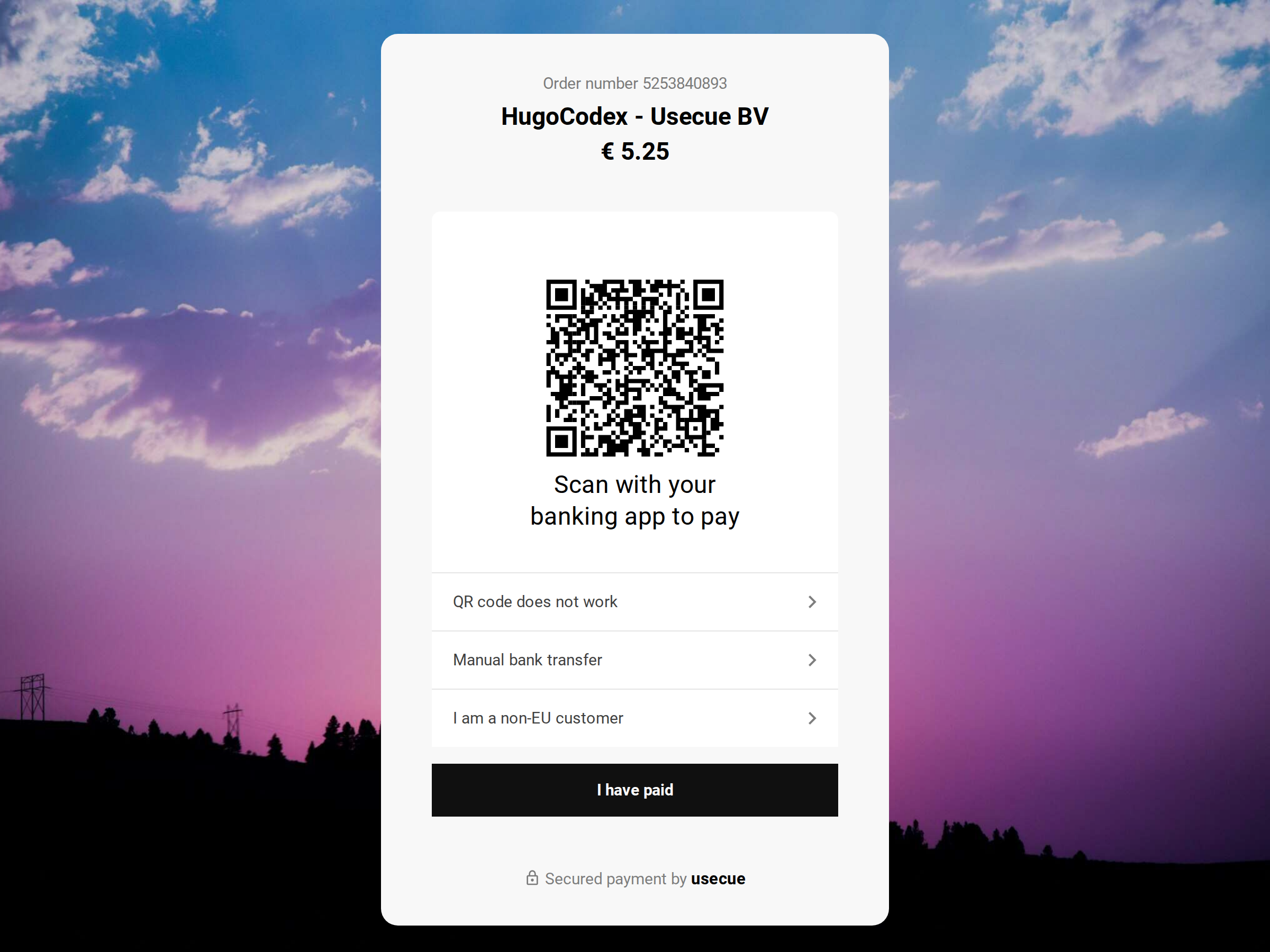 The payment page, the screen the buyer sees; click for a working example
Getting started
Once your payment page is on, the URL of your page is shown under Display and Online checkout. Which ways to pay the page offers, what it looks like and where the buyer returns to afterwards are all set under Settings.
Parameters
Usage is simple. You just need to configure some URL parameters.
https://pos.usecue.com/pay?id=1&amount=12.50&specification=Order%201234&lang=en
What happens next
The buyer sees the ways to pay you have switched on, pays, and presses ‘I have paid’ at the bottom. What happens then, from the thank-you to the message in your mailbox, is described under what happens next.
On your own website
You can also install the payment page on a page of your own website. This is done by adding a single line of Javascript.
<script src="https://pos.usecue.com/p/js/pay.js?id=1"></script>
Webhook
Want to know the moment somebody pays? We’ve got you covered. The webhook fires an event to your webshop as soon as someone has your payment page in front of them, as soon as they say they have paid and as soon as the bank confirms the payment, so you can automate what happens next: mark the order as paid, send a confirmation, start shipping.
